Balancing countless tasks at work feels a lot like juggling on a tightrope. Everyone wants that calm, in-control vibe, but distractions pull in every direction.
From emails to endless meetings, the pace rarely slows down. Work organization strategies help keep chaos at bay, letting professionals actually move the needle on big plans.
This article explores actionable work organization strategies you can implement today. Stick around for real examples, checklists, and techniques for smoother, more focused workdays.
Setting Up Your Work Environment for Daily Focus
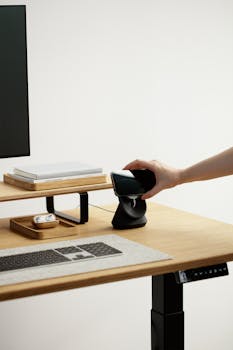
Begin by designing your workspace for function. Choose deliberate layouts and tools that nudge better habits. This sets the foundation for all your work organization strategies to succeed.
Remove visual clutter. Make your desk a place where your goals literally come into view—post project deadlines or recurring reminders to keep your priorities front and center.
Desk Essentials That Support Workflow
Gather what you use daily within arm’s reach. For instance, keep a notepad and a reliable pen close; tuck away lesser-used supplies so your focus isn’t split.
A desktop organizer stops piles from forming. Say someone enters and you need space immediately, you’ll thank yourself for the neat trays and labeled folders for fast sorting.
Sticky notes can mark urgent things only; don’t let them cover the whole desk though, or they’ll lose their urgent meaning. Reserve this for top priority items each day.
Reducing Distractions with Boundaries
Turn off all non-essential notifications before starting a project sprint. Let your team know: “I’ll be heads-down for the next hour, please email if urgent.”
Try noise-canceling headphones to cut ambient noise if your office allows them. Quiet helps you enter the flow state—one of the core benefits of strong work organization strategies.
Use visual cues, like a closed door or a busy sign, to communicate availability. This supports your time boundaries and signals when you’re truly off-limits for interruptions.
| Workspace Feature | Benefit | Problem Eliminated | What to Do Next |
|---|---|---|---|
| Labeled Folders | Quick retrieval | Lost paperwork | Create folders for each project today |
| Standing Desk | More energy | Sluggishness | Alternate between standing and sitting hourly |
| Decluttered Desktop | Clear focus | Visual overload | Clear everything but essentials every Friday |
| Checklist Pad | Task tracking | Forgetting steps | Keep pad visible and update twice daily |
| Monitored Lighting | Reduced fatigue | Eye strain | Adjust lighting to match daylight hours |
Building Daily Routines to Stay on Track
Adopting repeatable routines ties each task to a specific cue in your day. Practicing this rule energizes work organization strategies and builds consistency into your job.
Start every day with a five-minute review of your calendar, checking for blind spots. This immediately recalibrates focus and prevents surprises from derailing your carefully planned day.
Timing Your Tasks with a Prioritized List
Create a running priorities list every morning. Rank urgent items at the top and time-block your calendar so each critical item gets assigned focus before noon.
If you hit a roadblock, move to the next successively lower-priority item. Return to stalled items after lunch when your perspective resets with a break.
- Time-block your first two hours exclusively for deep work; defend this time by letting colleagues know you’ll respond after 10 a.m. for routine matters only.
- List the top three non-negotiable tasks daily—this ‘power three’ gives your to-do list immediate clarity and keeps you from feeling swamped by dozens of unranked duties.
- Batch similar tasks together, such as answering emails at two dedicated times per day; avoid “switching tasks” which chips away at your focus and productivity.
- Prepare for transitions: before meetings, review your notes and jot intentions so you don’t walk in cold or ramble when asked your updates.
- Schedule “shutdown” cues: with 30 minutes left in your day, begin winding down, tie up loose ends, and prep tomorrow’s priorities for a head start.
Testing these approaches for two weeks gives direct evidence of which elements sharpen your work organization strategies and which might need tweaking to match your role.
Habit-Stacking for Sustainable Organization
Pair new organizational habits with existing routines. For example, after your morning coffee, update your task list—it’s more likely to stick long-term.
Use digital reminders to build the new habit and stay accountable. For recurring meetings, set calendar notes to prompt you ten minutes before to review agendas.
- Set a ‘return-from-lunch’ rule where you first scan your ongoing project’s progress so small details never slip through the cracks as the afternoon begins.
- Organize your digital workspace: move old files to archives every Friday before leaving. This saves time on future searches and declutters your device.
- Pick one day per week for a bigger workspace reset, like cleaning out drawers or reassessing your most-used tools, so stagnant clutter never piles up unnoticed.
- Give yourself an end-of-week reward for staying consistent—whether that’s a coffee out or wrapping up early on Fridays if all high-priority tasks are done.
- Create a quick script for delegating when overwhelmed, like: “I’m at full capacity. Can you help with this project by Thursday?”
Tracking these micro-habits in a notepad or app helps pinpoint which work organization strategies become automatic and which ones need reinforcement for lasting impact.
Creating an Actionable System for Tracking Progress
Implementing structured systems means no more second-guessing small details. Anchoring your workflow in proven work organization strategies guarantees reliable follow-through, even in the most hectic weeks.
A Simple Digital Tracking Solution
Choose a cloud-based tool that allows you to access lists from anywhere—phone, tablet, or computer. For recurring tasks, set automated reminders to keep deadlines visible.
Integrate color-coding for types of work, like red for tasks requiring manager review and green for items you can complete solo. Visual cues speed up triage and response times.
Automate regular check-ins: set every Friday afternoon to review what’s been done and what’s left. This helps pivot resources before bottlenecks grow into bigger problems.
Physical Boards for Team-Wide Clarity
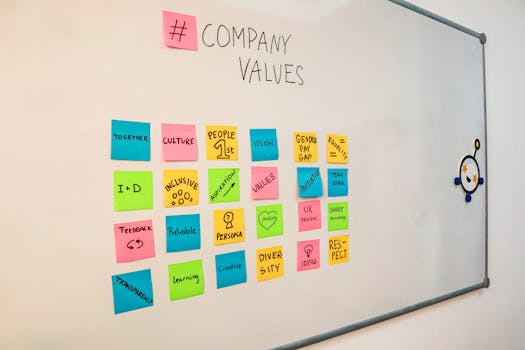
Set up a whiteboard in a shared spot where each team member can write daily goals. This approach makes priorities public and accountability simple for big projects.
Use color-coded magnets or sticky notes for different project phases. For instance, blue represents ‘in progress’ while yellow marks ‘needs input’—everyone can track what’s next at a glance.
Finish every week by updating the board together and moving sticky notes to a ‘done’ area, celebrating wins and instantly seeing which work organization strategies paid off.
Communicating Boundaries and Expectations with Colleagues
Communicate directly to prevent misaligned priorities. Declaring your focus time and availability window helps coworkers respect your efforts to practice solid work organization strategies throughout the week.
Short, polite scripts make expectations clear. For example, “I’m working on the quarterly report until lunch—let’s connect afterward” not only manages interruptions but signals your organization mindset.
Differentiating Between Urgent and Routine Requests
Ask teammates, “Is this urgent, or may I address it this afternoon?” This question sets a standard for work organization strategies that limit interruptions and foster mutual respect.
If you sense someone hovering or glancing at your screen, smile and acknowledge: “I’ll be with you at 2 p.m.—right now I’m on deadline.” This directness defuses tension.
Revisit agreements at regular intervals. At each week’s start, remind your team about your sprint windows and preferred channels for urgent pings to avoid crossed wires.
Tuning Up Digital Habits to Avoid Clutter and Confusion
Organized digital environments streamline your tasks. Work organization strategies shine brightest when files, calendars, and messages live in order and you can retrieve info in seconds.
Archive obsolete emails every Friday. Clear project folders when deliverables close out. These steps keep only the essentials at your fingertips.
Routine Digital Cleanups
Book a standing calendar appointment for digital file cleanup, just like any meeting. Treat unneeded downloads and emails as digital trash, dragging them to archives at the scheduled time.
Rename files using a standard: “Date_Client_Project.” Scroll less and find what you need faster when naming routines strengthen work organization strategies across your desktop.
Store shared documents on team drives, not personal folders. That way, when someone’s out, others keep projects moving without delays or duplicate hunting for crucial files.
Responding to Digital Overload: Real-world Practice
When your inbox piles up, reply using a template: “Thanks for flagging this. I’ll review and get back by Thursday.” Save and reuse the template to keep responses swift and stress-free.
Color-code or star emails needing follow-up, and remove flags only once those items are truly complete. This keeps critical to-dos highlighted, while letting you see progress.
At day’s end, scan notifications. If tasks pop up repeatedly from the same source, schedule a brief sync to clarify expectations—streamlining one source of overload at its root.
Sharpening Meeting Prep and Action Items for Efficiency
Effective meetings start with clear prep. Work organization strategies applied before and after every discussion guarantee people leave knowing next steps—and deadlines never slip through the cracks.
Crafting Solid Agendas and Assignments
Circulate an agenda before each meeting. List topics and share goal statements so every attendee comes with checks and questions ready—no dead air or vague conversation.
Use meeting minutes to capture who does what: “Jen to send presentation slides by Tuesday.” Store outcomes in a shared file so anyone can verify next actions without confusion.
Conclude by reviewing responsibilities aloud. This verbal check is a staple work organization strategy that makes accountability public and easily traceable for all future meetings.
Script for Fast, Actionable Follow-up
After a meeting, send a recap email: “Here’s who owns each action. Reply if you need clarification by end of day.” This script closes gaps immediately.
Pin follow-up tasks on your project tracker, assign deadlines, and include collaborator names. When each task is visible, follow-through becomes effortless as you move project pieces forward.
Build in ten minutes after every meeting for this step. Small, consistent work organization strategies like this multiply productivity without extra effort.
Moving Forward with Practical Work Organization Strategies
Staying organized at work unfolds through daily routines, transparent communication, and tested work organization strategies woven into your unique workflow. Each method stacks small wins into steady progress.
Little changes in physical and digital order, coupled with clear boundaries and real teamwork, build a professional rhythm that supports better results and lower stress all year.
Pick one or two new work organization strategies and commit to trying them tomorrow. Notice where you feel less scattered and celebrate those improvements—they’re signs you’re building lasting momentum.